 简体中文
简体中文
 Azərbaycan
 Čeština
 English
 Español
 Français
 Ελληνικά
 हिन्दी
 Indonesia
 Italiano
 Português
 Русский (др. страны)
 Русский (Россия)
 Türkçe
 Українська
 العربية
 繁體中文
繁體中文
 日本語
日本語
 한국어
한국어
 Қазақ
Қазақ
NumBuster Caller ID can show phone number information not only for regular calls but also for calls in messengers such as WhatsApp, WhatsApp Business, and Viber. This feature uses a widget displayed on the incoming call screen.
How to enable:
In the NumBuster app on the home screen find and tap Caller ID for messengers.
Choose widget display over other apps
This permission allows caller information (rating and tags) to appear over the incoming call screen in WhatsApp or Viber. The widget will not be displayed if permission is not granted.
Grant notification access
- Tap Notification access.
- Find NumBuster in the list and activate the switch.
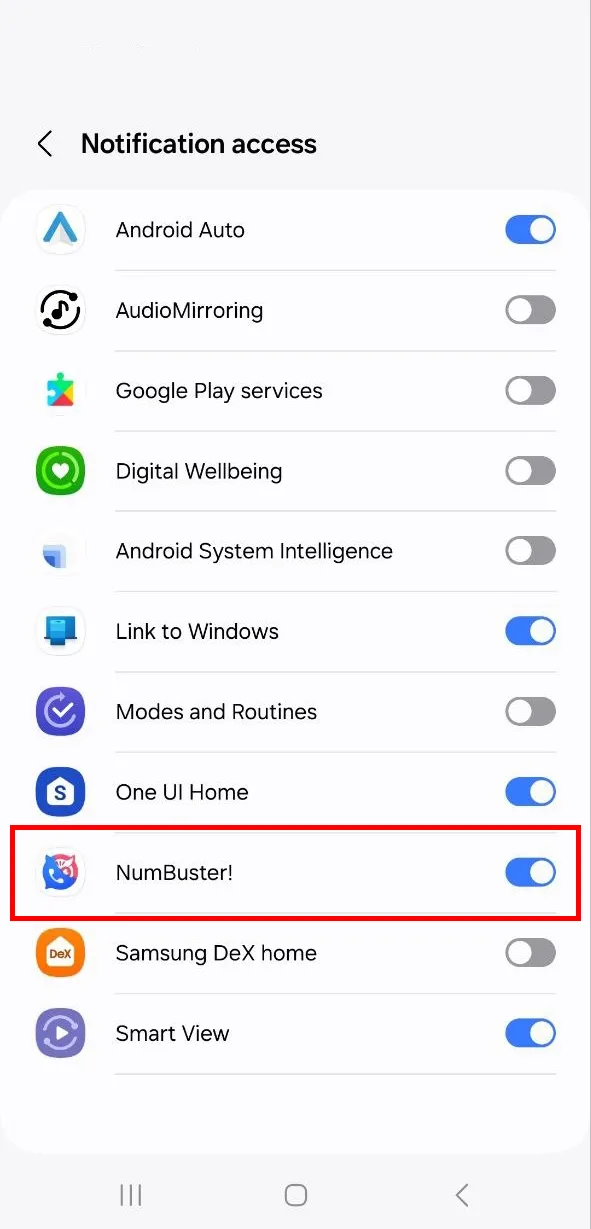
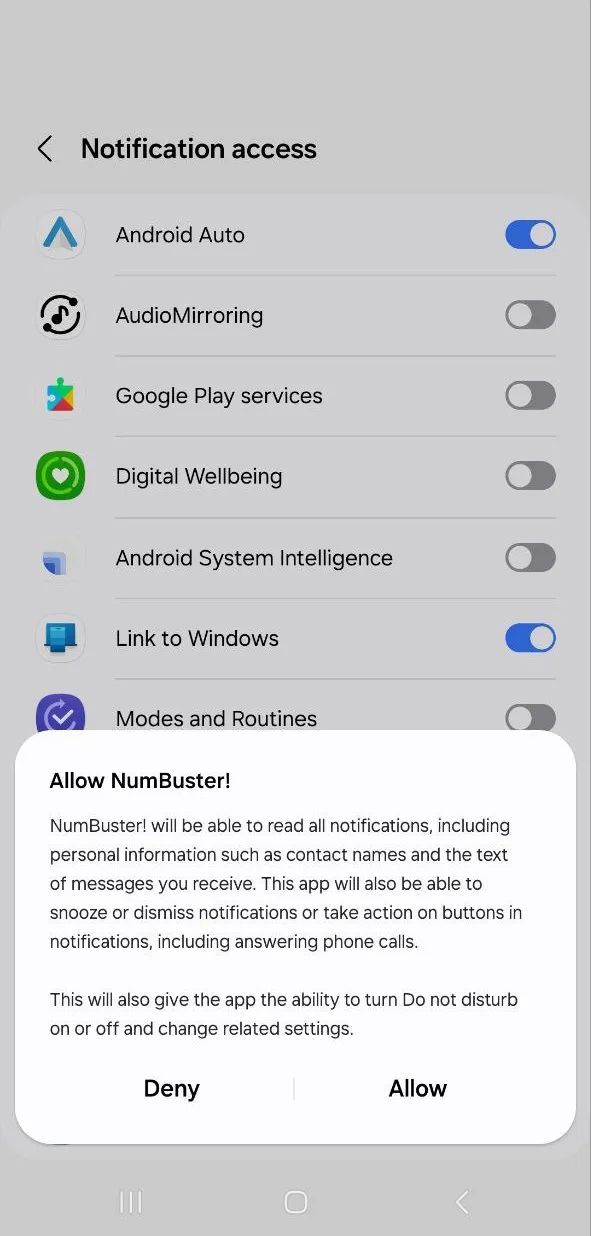
- Important: You will see a notification about granting access. This permission is required for NumBuster to receive phone number data during an incoming call via WhatsApp or Viber. Tap Allow in the pop-up window.
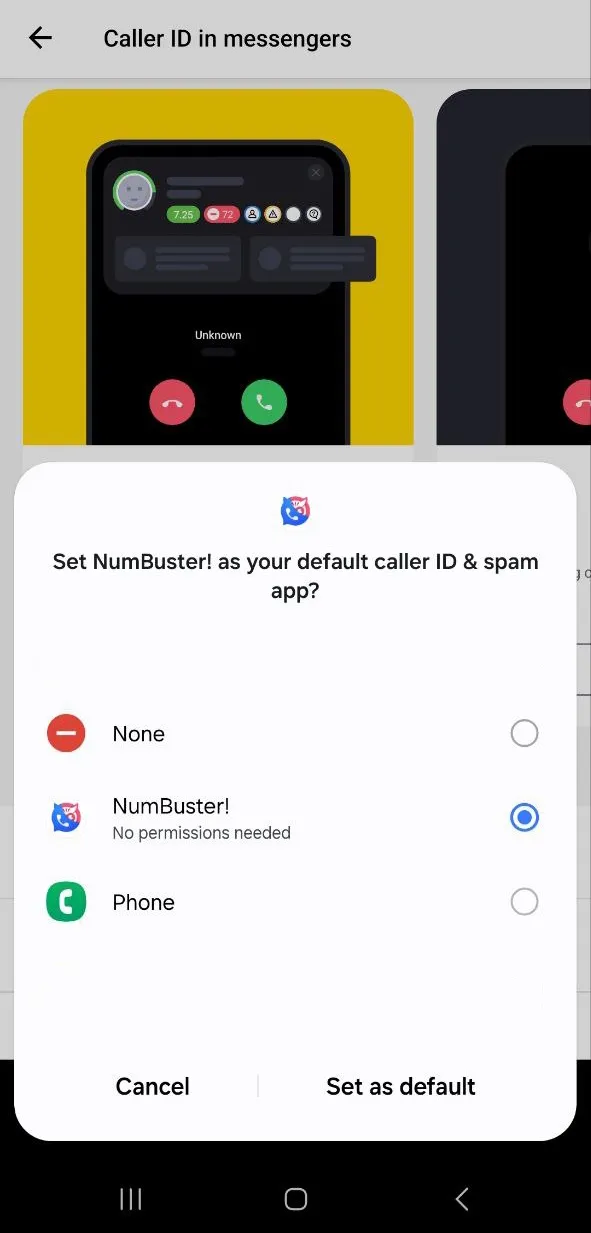
Set NumBuster as the default Caller ID
- Tap Default Caller ID.
- Select NumBuster in the pop-up window and confirm.
 功能
功能


 Tariffs
 帮助
帮助