 繁體中文
繁體中文
 Azərbaycan
 Čeština
 English
 Español
 Français
 Ελληνικά
 हिन्दी
 Indonesia
 Italiano
 Português
 Русский (др. страны)
 Русский (Россия)
 Türkçe
 Українська
 العربية
 简体中文
简体中文
 日本語
日本語
 한국어
한국어
 Қазақ
Қазақ
NumBuster lets you remove phone numbers from your block list to start receiving their calls and messages again.
Managing your block list
- Open the Block List. You can do this via Settings (go to Settings → Block Settings) or from the Home screen.
- Tap the Unblock icon (the arrow).
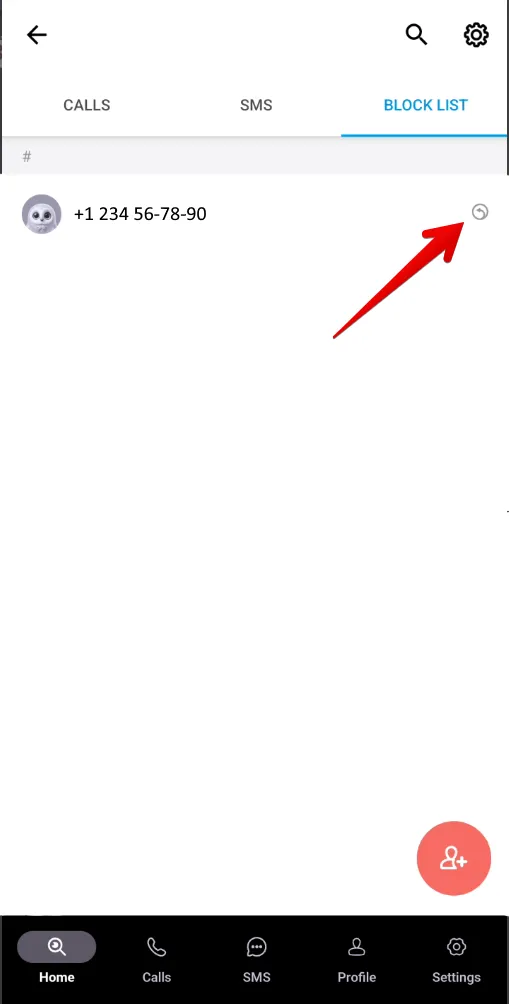
- Swipe the phone number to the left.
Unblocking via the phone number profile
- Open the profile of the blocked phone number.
- In the bottom right corner, tap the Unblock icon to remove the phone number from your block list.
 功能
功能


 Tariffs
 說明
說明