 日本語
日本語
 Azərbaycan
 English
 हिन्दी
 Indonesia
 Русский (др. страны)
 Русский (Россия)
 Türkçe
 العربية
 简体中文
简体中文
 繁體中文
繁體中文
 한국어
한국어
 Қазақ
Қазақ
A receipt confirms the fact of purchase and may be required when contacting support. Exactly where to look for the document depends on how you paid for the services.
App Store
When purchasing from the App Store, a receipt is always sent to your email address on the day of the transaction. Payment details are also available in your profile history:
- Open the App Store application
- Tap the Account icon in the upper-right corner of the screen
- Select the Purchase History section
- Find the required order to view the receipt
WEB Dashboard
If you paid for services in the WEB Dashboard through payment services:
- Open the email address you specified when making the payment
- Find the confirmation from the payment service in your inbox
- Click Download invoice
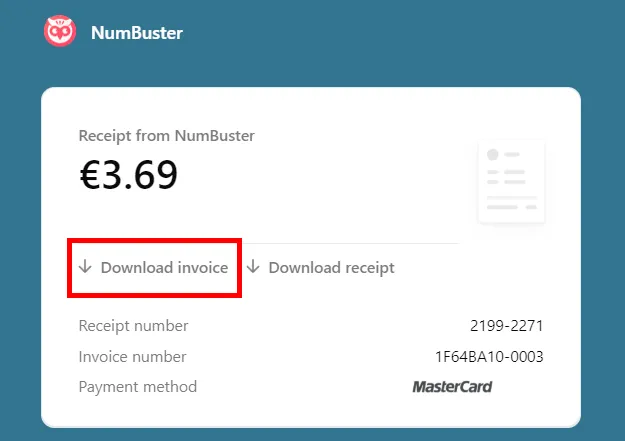
Note: If the email is not in your main inbox, please check your Spam folder.
 機能一覧
機能一覧


 Tariffs
 ヘルプ
ヘルプ