 English
 Azərbaycan
 Čeština
 Español
 Français
 Ελληνικά
 हिन्दी
 Indonesia
 Italiano
 Português
 Русский (др. страны)
 Русский (Россия)
 Türkçe
 Українська
 العربية
 简体中文
简体中文
 繁體中文
繁體中文
 日本語
日本語
 한국어
한국어
 Қазақ
Қазақ
Caller ID is a feature that allows NumBuster to notify you about who is calling and flag phone numbers that may be associated with advertising, telemarketing, or other unwanted calls.
This feature helps you quickly identify callers in your call log and decide on your next steps. To make it work, you must enable it in your device settings and activate it within the app.
How to Enable Caller ID
- Open Settings on your device and go to the Apps section
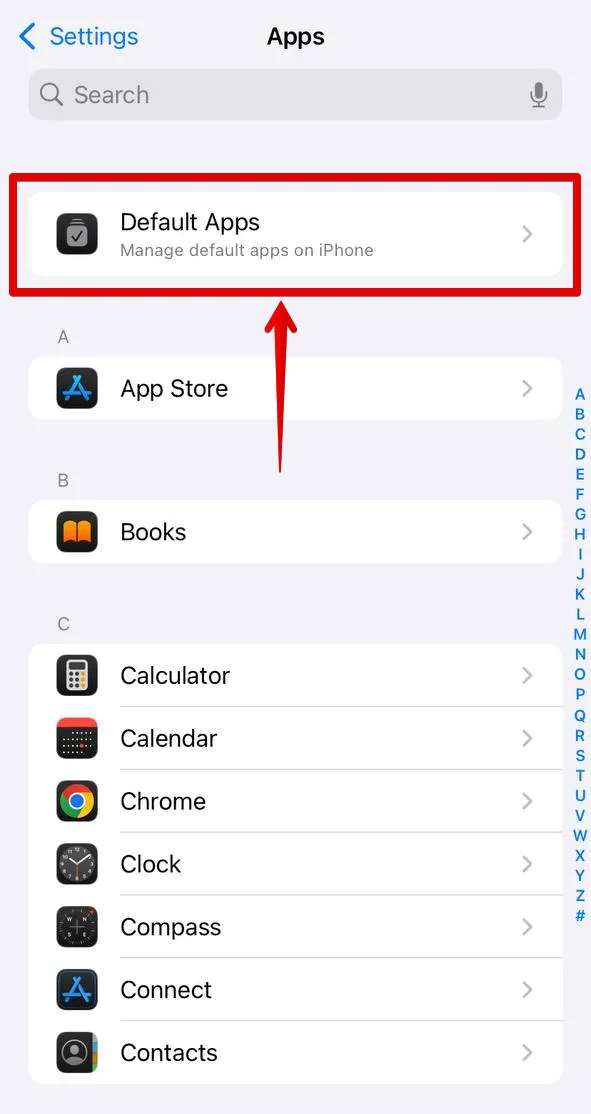
- Select the menu section Phone
- Go to Call Blocking & Identification
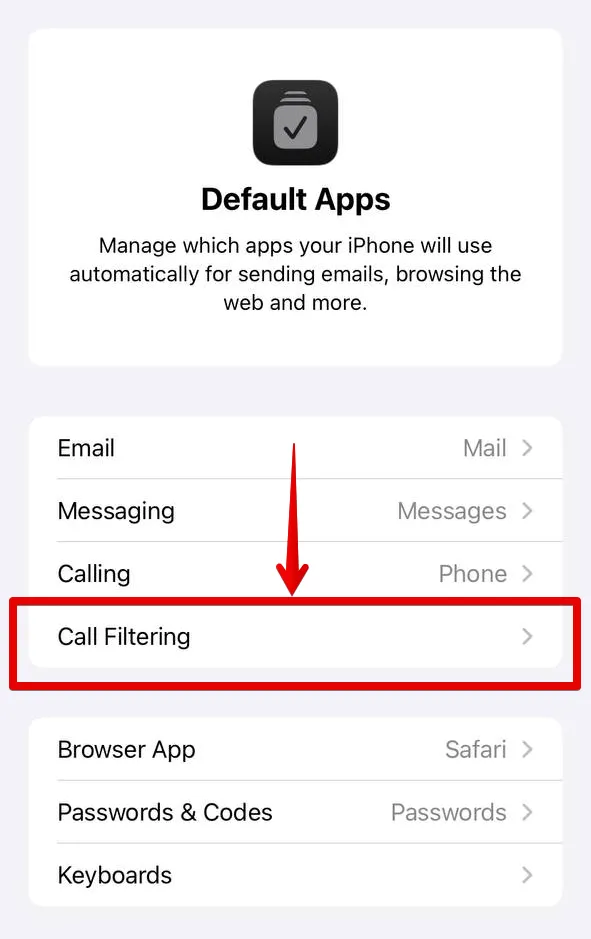
- Toggle the switch next to NumBuster to the On position. Due to the size of the caller ID database, a loader may appear briefly in place of the switch, which is normal
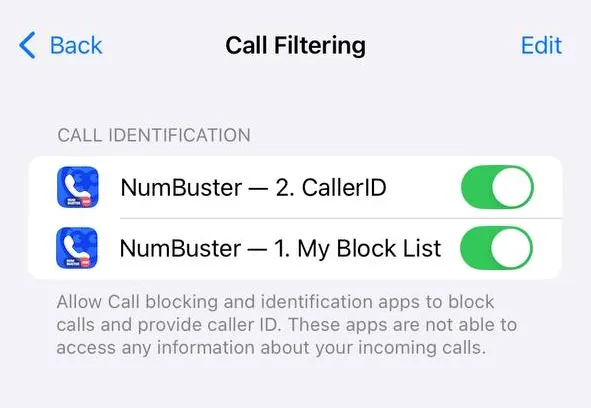
To ensure NumBuster data has priority during call identification, the NumBuster entries in the Call Blocking & Identification section should be placed above other applications.
Use the Edit button at the top of the page to change the priority.
How to Check Status in App
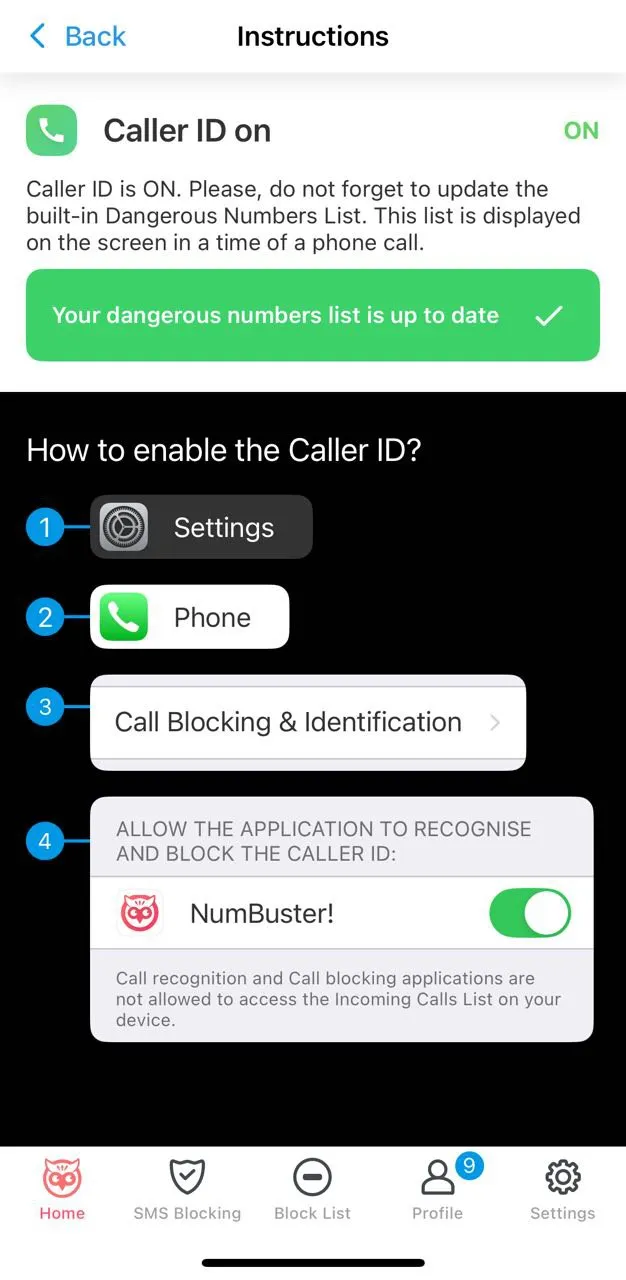
- Open the Caller ID block in NumBuster
- Ensure it displays: Caller ID is enabled
How to Disable Caller ID
- Open Settings → Apps → Phone
- Go to Call Blocking & Identification
- Toggle the switch next to NumBuster to the Off position
 Functions


 Tariffs
 Help
Help