 हिन्दी
 Azərbaycan
 English
 Indonesia
 Русский (др. страны)
 Русский (Россия)
 Türkçe
 العربية
 简体中文
简体中文
 繁體中文
繁體中文
 日本語
日本語
 한국어
한국어
 Қазақ
Қазақ
NumBuster Caller ID helps you understand who is calling in advance. You can configure exactly how caller information will be displayed to get the most benefit and not miss important calls.
Full-screen mode
Replaces the standard call screen with the NumBuster interface. You will see all phone number information (rating, tags, comments) on the screen even before you answer the call.
How to enable:
- On the app home screen tap Caller ID mode.
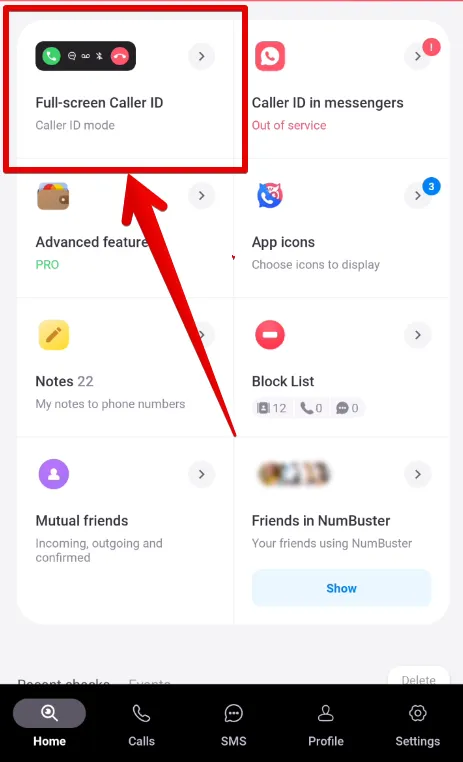
- Select the Full-screen Caller ID mode option.
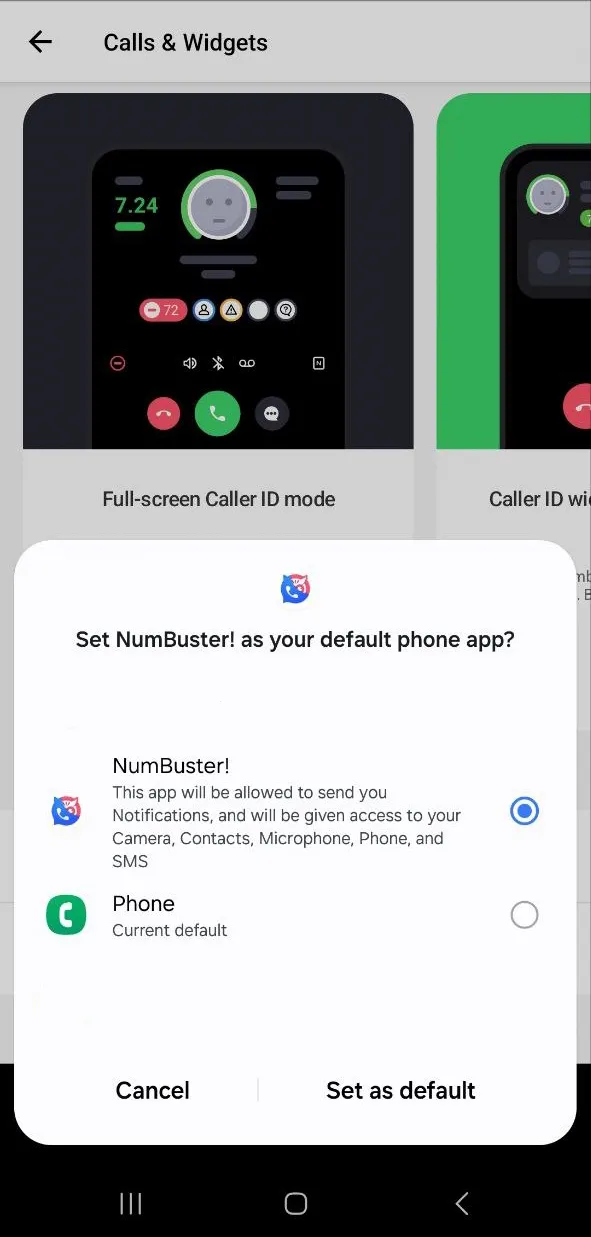
- On Android you will need to make NumBuster the default app for calls. Select NumBuster in the pop-up window and confirm.
Widget Caller ID
Displays caller data in a pop-up window over the standard call screen. The widget can be moved to any convenient place on the screen.
How to enable:
- On the home screen tap Caller ID mode.
- Select the Widget Caller ID option.
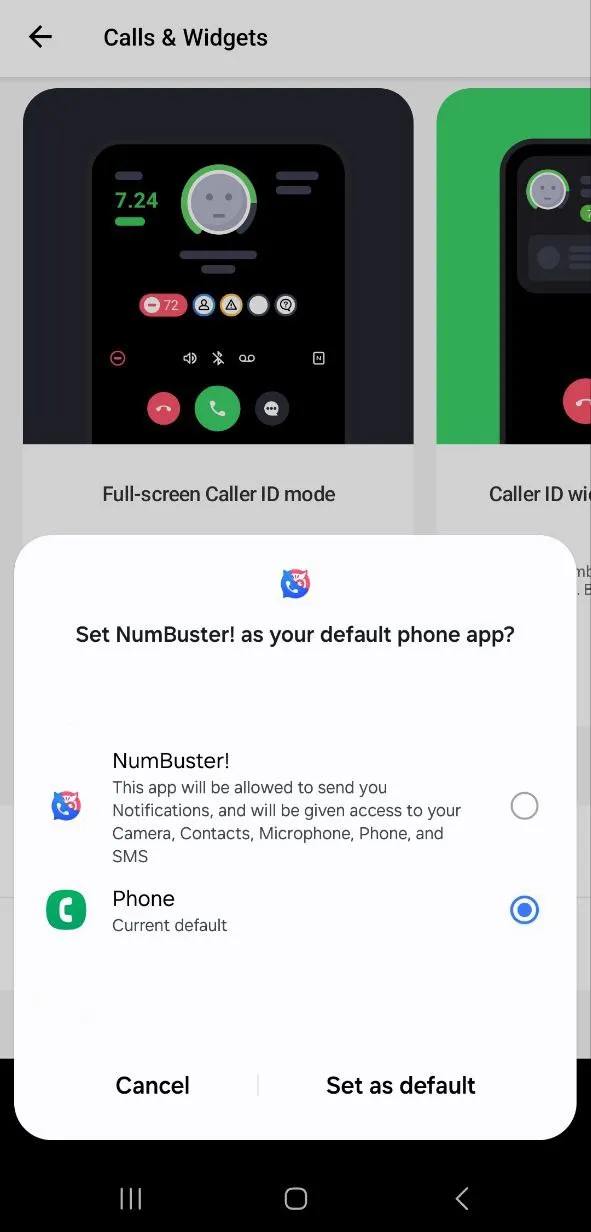
- For correct operation keep the standard call app as the main one.
Caller ID for messenger calls
NumBuster allows you to see caller information even during calls from messengers (for example, WhatsApp or Viber).
How to enable:
- Grant the app access to notifications and display over other apps.
- Enable the Caller ID for messengers feature.
- Make sure display over other apps permissions are granted.
How to disable Caller ID
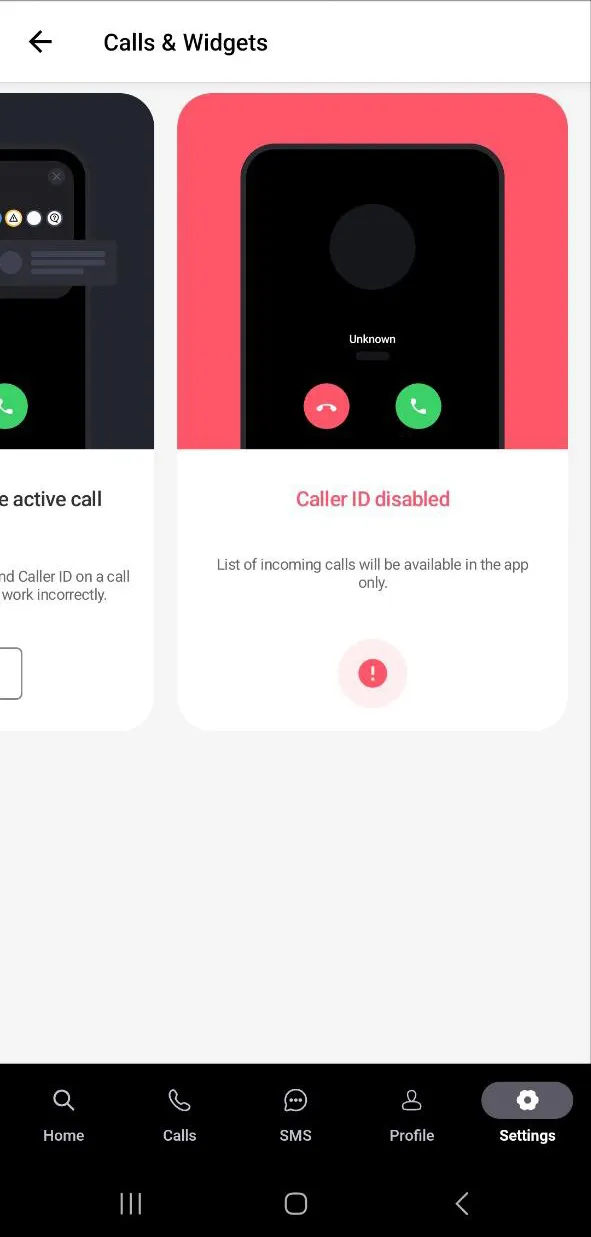
In this mode NumBuster will not show caller data. Call management is fully transferred to the standard app.
How to disable:
- On the home screen tap Caller ID mode.
- Scroll through the options to the right.
- Select the screen with the heading Caller ID disabled.
 फंक्शंस


 Tariffs
 सहायता