 English
 Azərbaycan
 Čeština
 Español
 Français
 Ελληνικά
 हिन्दी
 Indonesia
 Italiano
 Português
 Русский (др. страны)
 Русский (Россия)
 Türkçe
 Українська
 العربية
 简体中文
简体中文
 繁體中文
繁體中文
 日本語
日本語
 한국어
한국어
 Қазақ
Қазақ
To use another phone number in the app you need to sign out of your current account and authorize again. You do not need to delete the app.
How to Change Phone Number
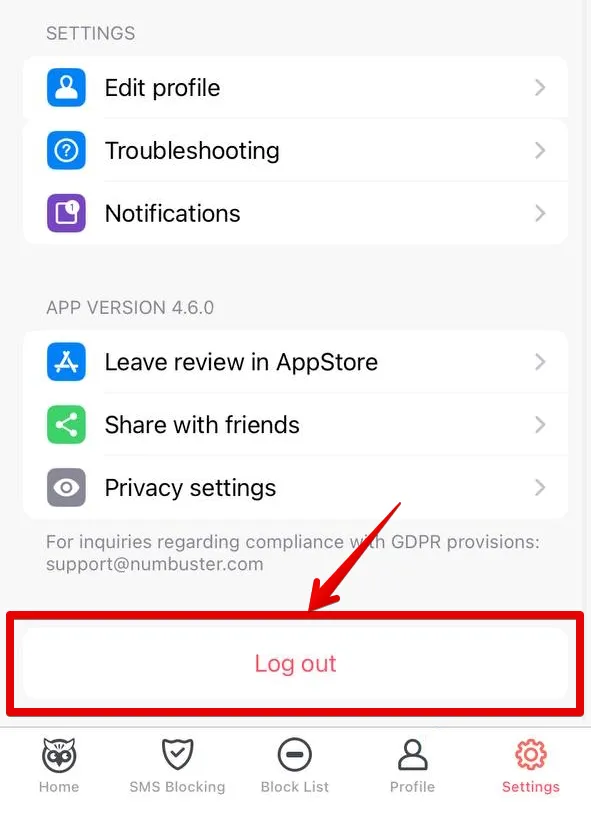
- Open NumBuster and find and go to section Settings.
- Tap the option Sign out at the bottom of the menu.
- The quick authorization screen will open. Select your preferred method.
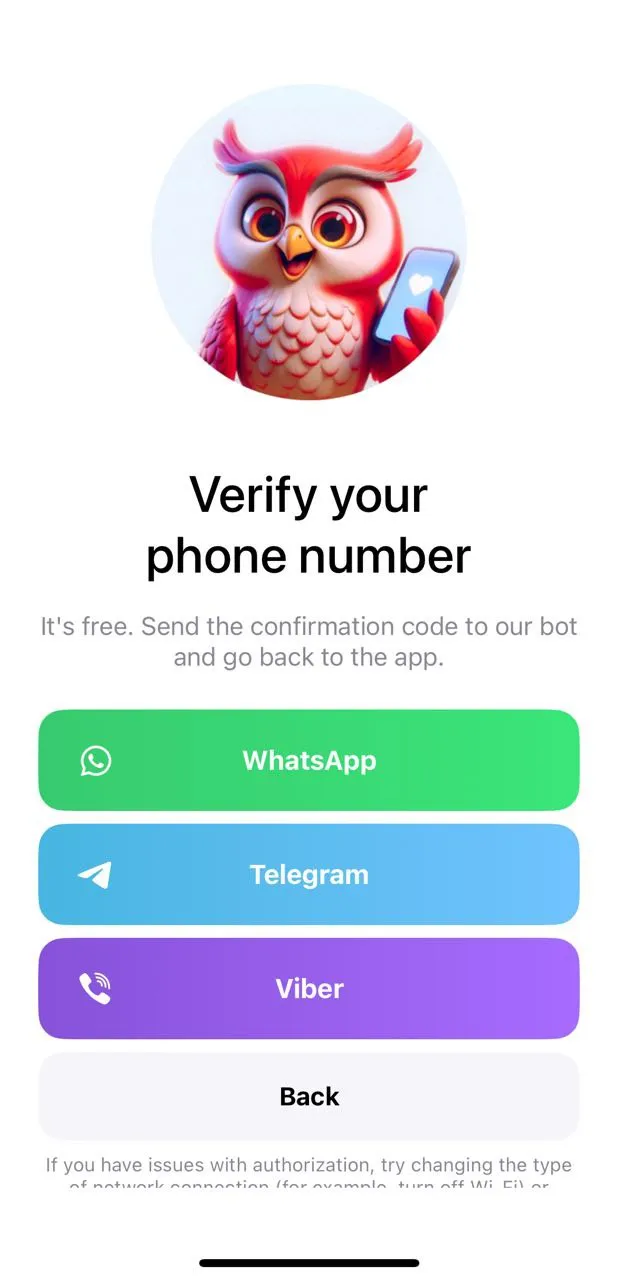
Important! First make sure the new phone number is already authorized and confirmed in the selected messenger.
Simply sign out of the app and authorize again to return to the previous phone number page.
 Functions


 Tariffs
 Help
Help