 Türkçe
 Azərbaycan
 English
 हिन्दी
 Indonesia
 Русский (др. страны)
 Русский (Россия)
 العربية
 简体中文
简体中文
 繁體中文
繁體中文
 日本語
日本語
 한국어
한국어
 Қазақ
Қазақ
Details are information that users add to a phone number. This data helps to identify who is associated with a phone number and how to respond to it. Sometimes details are missing from the page; this can happen due to privacy settings, owner actions, or platform limitations.
1. No Information Has Been Added
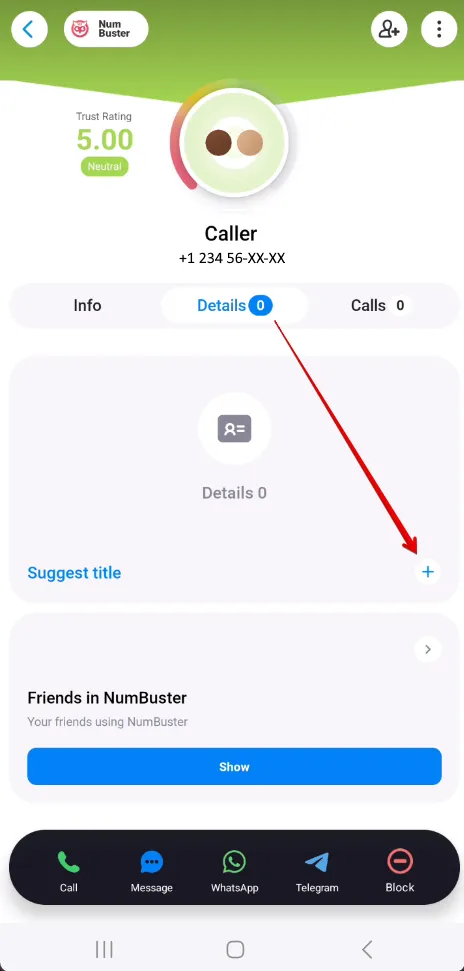
Details will not appear if no users have added information to the phone number yet. You can add this information yourself.
How to add details
- Find and go to section the Phone Number page in the NumBuster application.
- Tap the tab Details and tap the option Suggest title.
- Enter the text and save.
2. User Chose to Hide Details
If a phone number is registered in NumBuster, the owner may hide their details via privacy settings. In such cases, information is not displayed on the phone number page.
3. Phone Number Page Was Deleted
When a user deletes their phone number page, all associated details are removed as well.
4. Viewing Details in the Web Version
If details are not visible on the iPhone app, you can view them in the NumBuster web version. To switch, tap the corresponding button—the application will open in your browser.
How to open a phone number page via browser
- Find and go to section the Phone Number page in the NumBuster application.
- Tap the option Go to browser.
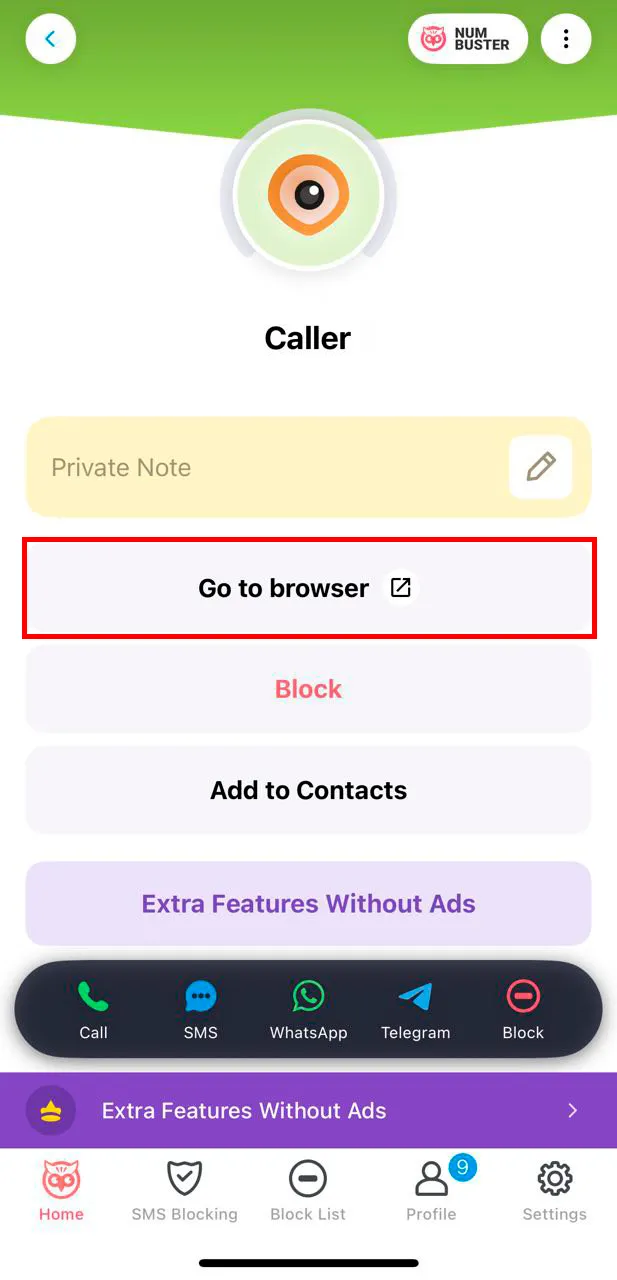
- The page will open in the browser.
For quick access, add the web version icon to your iPhone home screen to use it for future requests.
 Fonksiyonlar


 Tariffs
 Yardım