 English
 Azərbaycan
 Čeština
 Español
 Français
 Ελληνικά
 हिन्दी
 Indonesia
 Italiano
 Português
 Русский (др. страны)
 Русский (Россия)
 Türkçe
 Українська
 العربية
 简体中文
简体中文
 繁體中文
繁體中文
 日本語
日本語
 한국어
한국어
 Қазақ
Қазақ
If call recording worked on your device prior to installing NumBuster, however it has since disappeared, follow these steps.
‼️ Please note: The call recording feature is not available on all Android devices. If it is initially absent in your device’s standard app for calls, NumBuster will not be able to add it.
How to restore call recording
- Find and open the NumBuster app and go to the app’s home screen
- Tap the option Caller ID mode on the home screen

- Find and open the menu section Caller ID widget and confirm activation

- Upon activating the Caller ID widget section, two options will appear: Default identifier and Pop-up window. You need to grant additional permissions for them. If the identifier is working correctly, the block will be displayed in green
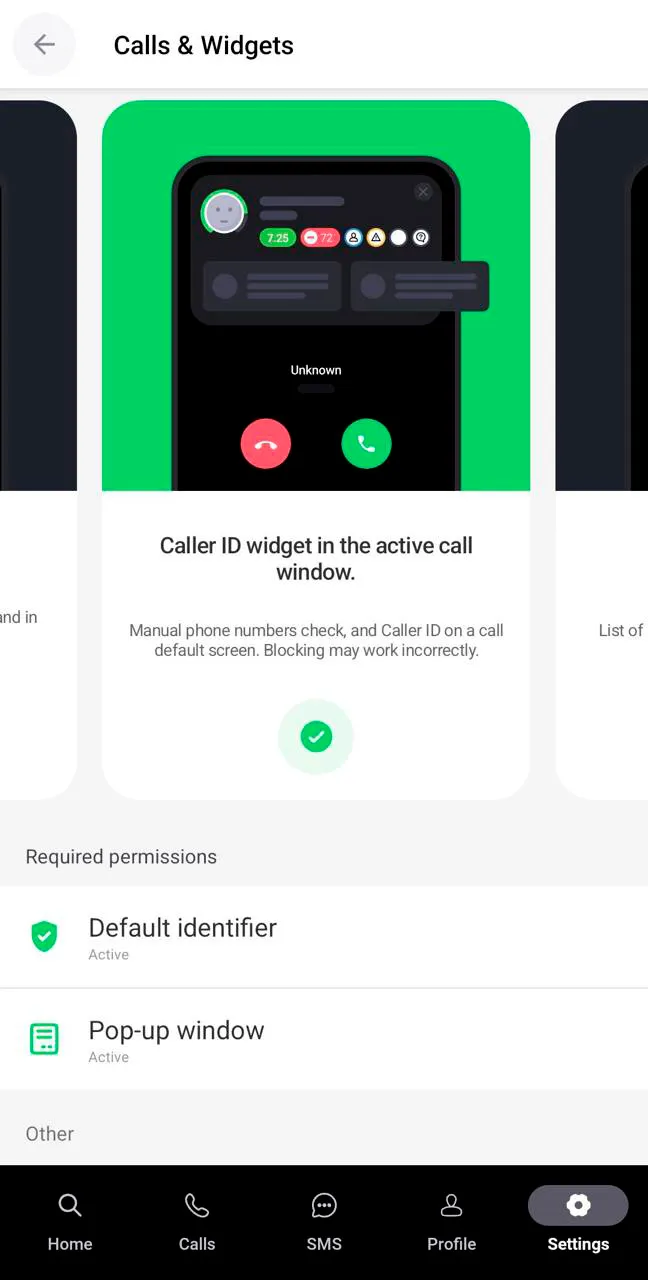
- Next, it is necessary to select an app for calls. Tap the option for the standard app for calls to restore the recording function
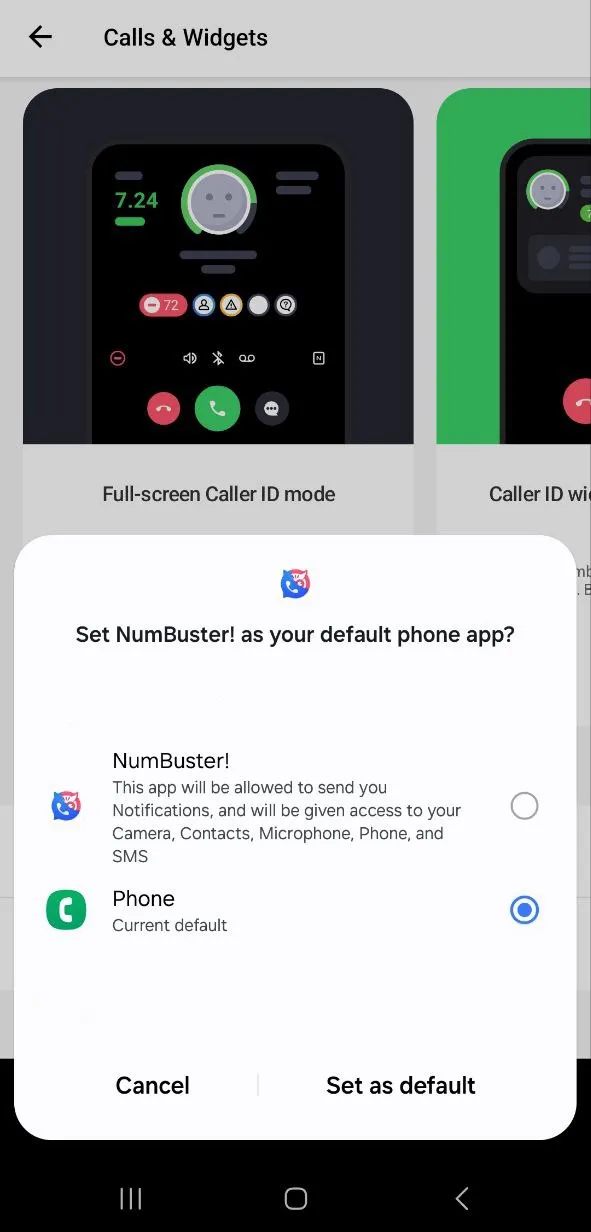
If the recording still hasn’t appeared:
- Check if recording is enabled in the standard app for calls;
- Ensure that the Caller ID widget mode is selected and call management is handed over to the standard app;
- Restart your device to apply the settings.
Now call recording will work again just as it did before installing NumBuster.
 Functions


 Tariffs
 Help
Help